
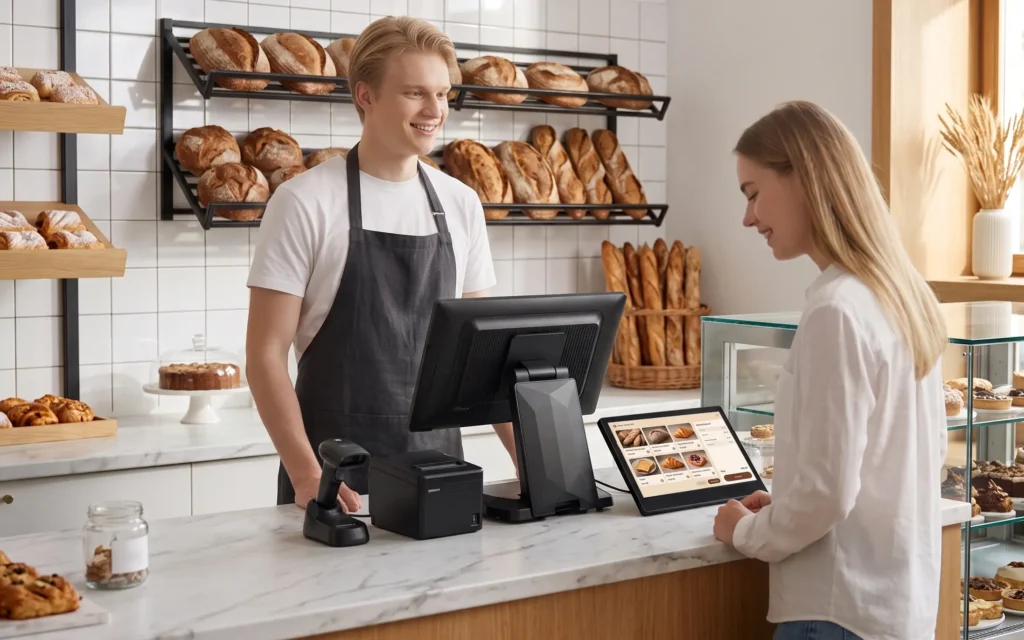
What Does POS System Stand For? A Complete Guide
Quick Answer: POS stands for Point of Sale. A modern POS system combines hardware and software to process sales, accept payments, and support daily business operations.
If you have ever paid for groceries, ordered food at a restaurant, or purchased products from a retail store, you have probably interacted with a POS system. But what does POS system stand for?
POS stands for Point of Sale. It refers to the place and process where a customer completes a transaction with a business. Today, a modern POS system is more than a traditional cash register. It combines hardware and software to process sales, accept payments, and support daily business operations.
Understanding how these systems work can help business owners, distributors, and technology providers choose the right equipment for their needs.
What Is a POS System and How Does It Work?
A Point of Sale system is a combination of physical equipment and software used to complete customer transactions. It is commonly found in retail stores, supermarkets, restaurants, convenience stores, and other commercial environments.
A typical transaction follows several steps:
- Product Selection: The cashier scans a barcode or selects products through the POS application.
- Price Calculation: The software calculates the subtotal, applicable taxes, and discounts.
- Payment Processing: The customer pays using cash, a bank card, or another supported payment method through the appropriate payment equipment.
- Receipt Printing: A connected receipt printer generates a transaction receipt when required.
- Transaction Recording: The POS software records the sale and updates relevant business information.
It is important to understand the difference between POS hardware and POS software.
POS hardware refers to the physical devices, such as touchscreen terminals, barcode scanners, receipt printers, and cash drawers. POS software manages transaction processing, sales records, inventory, and other business functions.
These two elements work together, but they do not necessarily need to come from the same supplier. Businesses can select compatible hardware and software according to their operational requirements.
What Are the Main Components of a POS System?
A typical checkout setup can include several hardware components, depending on the business model and transaction requirements.
1. POS Terminal
The POS terminal is the central computing device used to operate the POS application. It usually features a touchscreen display that allows employees to manage orders, select products, and complete transactions.
2. Receipt Printer
A receipt printer produces transaction receipts for customers and printed records for business operations. Thermal printers are commonly used because they offer convenient printing without traditional ink cartridges.
3. Barcode Scanner
Barcode scanners read product codes and send the information to the POS application. They help retailers identify products and speed up the checkout process.
4. Cash Drawer
A cash drawer provides a designated space for storing banknotes and coins. It is commonly connected to a receipt printer or POS terminal, depending on the hardware configuration.
5. Customer Display
A customer-facing display shows transaction information, such as product names, prices, and payment totals. It helps customers review their purchases before completing payment.
6. Payment Terminal
A payment terminal enables customers to pay using supported bank cards and contactless payment methods. Payment processing capabilities depend on the device, software integration, and payment provider. Payment terminals must also align with PCI DSS payment data security requirements, while contactless card transactions rely on EMV contactless chip technology.
Not every business needs all these devices. A small retail store may only require a touchscreen terminal, barcode scanner, and receipt printer, while a restaurant may need additional kitchen printers and customer displays.
What Are the Different Types of POS Systems?
POS hardware can be broadly divided into two categories based on how transactions are handled: traditional POS systems operated by staff and self-service kiosks operated by customers.
1. Traditional POS Systems
Traditional POS systems are designed for checkout environments where employees operate the equipment to process sales, manage orders, and handle customer transactions.
They are commonly used in retail stores, supermarkets, restaurants, convenience stores, and other commercial environments.
Depending on business requirements, traditional POS hardware can come in different configurations:
- Countertop POS Terminals: Designed for fixed checkout counters, providing a central device for running POS applications and connecting peripherals.
- All-in-One POS Terminals: Integrate computing hardware and a touchscreen display into one compact unit, helping simplify installation and reduce counter clutter.
- Dual-Screen POS Terminals: Feature an additional customer-facing display, allowing customers to view transaction details while employees operate the main screen.
These configurations are not mutually exclusive. For example, an all-in-one POS terminal can also feature a dual-screen design. The appropriate configuration depends on counter space, software requirements, peripheral connectivity, and checkout workflows.
2. Self-Service POS Kiosks
Self-service kiosks allow customers to interact directly with a touchscreen terminal to complete specific tasks without requiring continuous assistance from an employee.
They are widely used in quick-service restaurants, supermarkets, shopping centers, and other high-traffic environments.
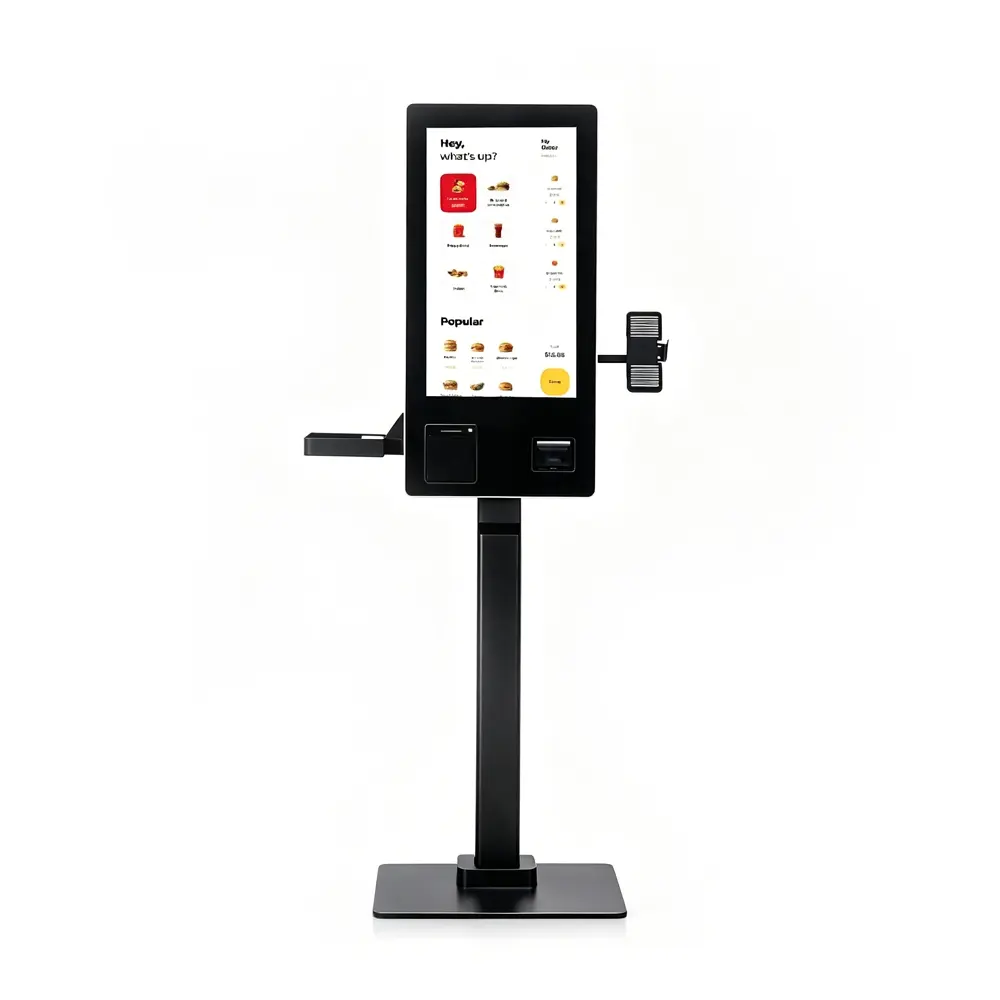
Common applications include:
- Self-Ordering Kiosks: Allow restaurant customers to browse menus, customize orders, and submit orders independently.
- Self-Checkout Kiosks: Enable shoppers to scan products and complete checkout transactions themselves.
- Information and Payment Kiosks: Help customers access information, make payments, or complete specific service requests.
Unlike traditional POS terminals, kiosks are designed around customer self-service rather than employee-operated checkout.
The choice between these two categories depends on the business model, customer interaction requirements, available space, and expected transaction volume.
How to Choose the Right POS Hardware for Your Business
Choosing POS equipment involves more than comparing prices and screen sizes. For business owners, distributors, and system integrators, several technical factors deserve attention.
- Software Compatibility: Confirm that the terminal supports the required operating system and POS application before purchasing.
- Peripheral Connectivity: Check available interfaces, including USB, LAN, COM, and RJ11, to ensure compatibility with external devices.
- Performance and Reliability: Select suitable processor, memory, and storage configurations according to the software's requirements and expected workload.
- Display Quality: Consider screen size, resolution, brightness, and touchscreen responsiveness.
- Expandability: Check whether the terminal supports additional peripherals, customer displays, and other equipment.
- Supplier Support: Evaluate technical documentation, customization options, quality control, and after-sales service.
For B2B buyers, hardware compatibility is particularly important. A terminal that works smoothly with existing software and peripherals can help simplify deployment and reduce unnecessary technical issues.
Before placing a bulk order, it is advisable to request product specifications, confirm interface requirements, and conduct compatibility testing with the intended POS application.
Explore POS Hardware Solutions from Matsuda POS
Choosing the right hardware partner is an important part of building a reliable checkout solution. For POS software providers, hardware distributors, and system integrators, working with a manufacturer that understands hardware compatibility and deployment requirements can make product sourcing more straightforward.
Matsuda POS focuses on POS hardware solutions for international B2B customers. Its ST8800 POS terminal is one example of a professional checkout device that buyers can evaluate for retail and hospitality applications.
When considering the ST8800, buyers should assess its available hardware configurations, operating system options, peripheral interfaces, and compatibility with their intended POS software.
Whether you are sourcing terminals for distribution, developing a hardware portfolio for your POS software, or integrating checkout equipment into a retail project, selecting suitable hardware is the foundation of a practical solution.
Looking for reliable POS hardware for your business or distribution network? Contact Matsuda POS to explore suitable hardware configurations and discuss your project requirements.